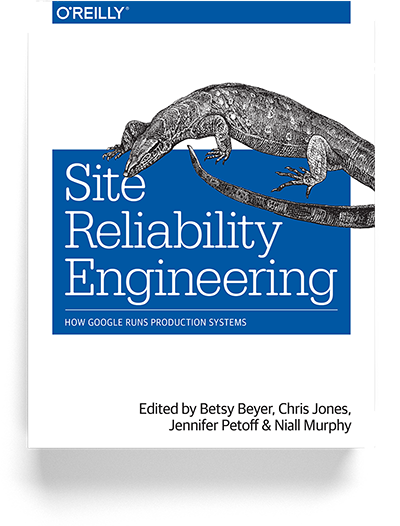
 Over the last several years, the concept of “DevOps” has swept through the engineering ecosystem, but there is a new concept that is gaining momentum, namely, the concept of “Site Reliability Engineering.” This concept was created by Ben Treynor at Google. And, in 2014, a conference was created, called SREcon, to bring together the growing community of liked-minded engineers. Google has also released a free book. The purpose of this blog post is to describe the nine major principles of Site Reliability Engineering at Google.
The first principle is to hire coders. In practice, at Google, they often hire Systems Administrators as well as Developers for the Site Reliability Engineer (SRE) position. Nevertheless, the primary duty of an SRE is to write code. In fact, one of the main concepts of site reliability engineering is “what happens when one hires a developer to do operations?” Hopefully, the developer will attempt to automate him/herself out of a job.
As a compute cluster scales linearly to accommodate more users and as software scales by adding more features, human resources should also scale linearly to manage the additional systems and to troubleshoot the increased surface area of additional features. However, an alternative to hiring more and more engineers to accommodate linear growth is an intense focus on automation. If a small group of engineers can devote most of their time to automating manual tasks and to doing auto-remediation of issues, then a compute cluster can grow linearly while the engineering group can continue to remain small.
So, the first principle of site reliability engineering is to hire great coders and let them leave if they want to leave. The part about letting them leave without a penalty is also important. If the manual work continues to be overwhelming and not enough attention is being paid to automation, then let the engineer transfer back into a more traditional development role of adding features to a product.
The second principle of site reliability engineering is to hire your SREs and your developers from the same staffing pool and treat them all as developers. An SRE is a developer. But, rather than adding features, the SRE developer is working on improving the reliability of the system. At Google, it is common for a developer to do a rotational assignment as a SRE in Mission Control. If he/she likes the work, he/she can stay, if not, he/she can go back to doing traditional development.
It is also important that there is not a line of separation between SREs and developers. Rather, the developers, who are adding features, continue to share at least 5 percent of the operational on-call workload, and they handle the spillover from the SRE team.
So, the third principle of site reliability engineering is that about 5 percent of the ops work goes to the dev team, plus all overflow. The development team always remains in the operational loop. In fact, if a development team adds features that results in instability to the system–the software product produces a number of incidents in a short period of time–then it is possible for the SREs to kick a product (or software) back to the development team and say that it is not ready for SRE support. In other words, the developers who created the product have to assume full-time support of the product, if it is not ready for production support.
The fourth principle of site reliability engineering is to cap the SRE-operational load at 50 percent (usually 30 percent). In other words, at least half of their time, SREs should be working on automation and improving reliability. One way that Google enforces this is that they limit the number of issues that an SRE is able to work on for any given shift. Typically, an issue that results in an interruption (or a alert) takes six hours to process. Of course, the resolution to the problem typically takes minutes, but the resolution process takes approximately six hours. The process includes a postmortem document, a postmortem review meeting and a set of action items, which are placed into a ticketing system. So, an SRE can only handle a maximum of two operational issues during a 12-hour shift. If there are more issues, these issues spill over to the development teams.
The fifth principle is that an on-call team has a minimum of 8 engineers for one location (or 6 engineers in each of two locations), handling a maximum of 2 events per shift. The reason for a minimum of 8 engineers is so that each engineer is on-call two weeks out of every month with a 12-hour shift. Having enough engineers on the team results in a reasonable workload and minimizes burnout.
The sixth principle of site reliability engineering is that postmortems are blameless and focus on process and technology. The central idea is that when things go wrong, the problem is the system, the process, the environment and the technology stack. Of course, there could be some human error involved, and it is very likely that the quick remediation of the problem was a result of the outstanding talent on the SRE team. Nevertheless, the focus is on how to make things better, so the focus is on the strategy, the structure and the systems. Could our monitoring, alerting and tools be better? How can we fix problem so that it does not happen again?
Ideally, an SRE team should not face the same problems repeatedly. The result of a postmortem are a list of action items for changing and improving the system. And, there should be ample time in the schedule to work on these action items. One SRE adage is do it once manually, and the second time, automate it. Again, the primary job of an SRE is to work on automation so as to improve the system. So, as the SRE tries to work him/herself out of a job, the cluster can grow and more features can be introduced without having to grow the size of the team.
The seventh principle is to have a written Service Level Objective (SLO) for each service and to measure performance against it. A Service Level Agreement (SLA) is a contract between a service provider and a customer. SLOs are the agreed upon means of measuring the performance of a service provider. SLOs are composed of Service Level Indicators (SLI). An SLI is merely something that you measure–it is a graph on your dashboard. But, when you attach a threshold to an SLI and generate an alert, this should be tied to your SLO. Typically, we measure the availability of a service, and the SLO is a threshold for how much unavailability will be tolerated. Is your objective to have your service available 99.9 percent of the time? If so, this means that you can tolerate 10 minutes and 5 seconds of unavailability per week (and 43 minutes and 50 seconds per month).
Different services will have different SLOs, and the SLO should guide your behavior. For example, if your customer can only tolerate 4 minutes and 23 seconds of unavailability per month (or 99.99 percent availability), then when you roll out a change, you will only roll it out to ten percent of systems in the cluster. Leave it running for a few hours, and then roll it out to an additional 10 percent, and so on. In other words, you will be very conservative in your deployments. But, if a service is not mission critical and you have an SLO with only 99 percent availability, then you can afford to be less controlled and less conservative in your deployment. It is important to note that “availability” can be many faceted, but SLOs should be measurable, easily understandable and meaningful. The goal of an SLO is to guide behavior and to put guards on action..
The eighth principle is to use SLO budgets as your launch criteria. The best way to insure stability of a system is not to introduce any change into the system. Of course, we want to constantly add features to software, and usage growth demands that we continually upgrade the cluster. But, your SLOs should guide you with respect to how much change to introduce and on what schedule. The idea of a “budget” is similar to the idea of a bank account. One cannot make withdrawals on a bank account that has a zero balance. Likewise, if you are exceeding your SLO, you must stop introducing change. I believe that Google uses a monthly SLO. So, if a service has an availability of 99.9 percent, then that service has a budget of 43 minutes and 50 seconds of unavailability per month. So, feel free to launch new features as long as you have the budget for it. However, when you approach your budget in a given month, you must curtail adding new features and introducing change until your budget is replenished. By having an SLO budget and allowing it to dictate your behavior, you are ensuring quality and maintaining a high-level of customer satisfaction.
The ninth and final principle of site reliability engineering is “practice, practice, practice.” If you do your job correctly, then you should have a quiet system. In fact if your system is redundant and resilient, your troubleshooting skills can get rusty and operational readiness can diminish. Netflix introduced a “Chaos Monkey” into their system, not only to test for redundancy and resiliency, but to improve operational readiness. At Google, one of the most popular SRE events is called the “Wheel of Misfortune.” The game starts with a pie chart, that comprises a frequency distribution of the outages that they have seen in the last month or two. And, the engineers’ role play an outage from the pie chart. One engineer is selected as the on-call engineer, while another describes an outage scenario. As the two engineers do a dry run of an outage, the other engineers take notes, and there is a mini postmortem at the end. The overall goal is to cut the amount of time to resolve issues, and practice can help to dramatically reduce times to resolution.
To review, these are the nine principles of site reliability engineering.
To hire great coders and let them leave if they want to leave.
To hire your SREs and your developers from the same staffing pool and treat them all as developers.
About 5 percent of the ops work goes to the dev team, plus all overflow.
To cap the SRE-operational load at 50 percent (usually 30 percent)
An on-call team has a minimum of 8 engineers for one location (or 6 engineers in each of two locations).
Postmortems are blameless and focus on process and technology
To have a written Service Level Objective (SLO) for each service and to measure performance against it.
To use SLO budgets as your launch criteria.
Practice and make it fun.
These nine principles of site reliability engineering are not my own. I got them from Ben Treynor’s keynote address at SREcon 2014. These principles have been developed at Google and tested over time. I hope to make use these principles in my own work and to inform my future deliberations on the role of DevOps.